This document summarises the collective design work on 2D gradients in CSSWG GitHub issue#7648.
Note
The 2D gradients proposal has been a collaborative effort by various CSSWG members and contributors. See the References & acknowledgements section.
CSS provides support for 1D gradient images (meaning the colour stops are defined on one axis) such as linear-gradient and radial-gradient(). This proposal specifies two image functions for authors to specify 2D gradients in CSS:
mesh-gradient() – the author specifies a 2D grid of colour stops and manipulates the positions of the stops
freeform-gradient() – the author specifies colour stops wherever they would like on a gradient box; it is based on a type of gradient in Adobe Illustrator
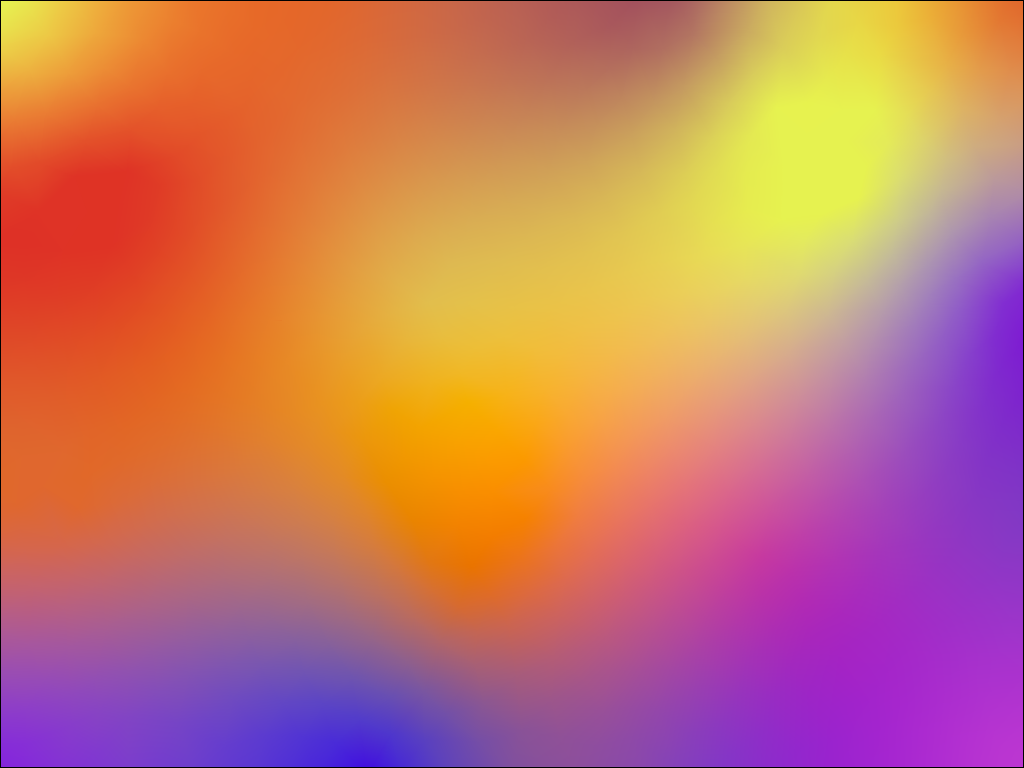
2D gradients have become a popular design choice. They are used extensively in many modern brand designs.
Currently, the only way for authors to use any kind of 2D gradient on the web is by pre-rendering them in a vector graphics application.
Adobe Illustrator (paid), Canva Affinity (freeware) and Inkscape (open source) are the most popular tools for producing mesh gradients. For producing diffusion curves, only Adobe Illustrator and Canva Affinity can create them, but with different features and capabilities.
There are two proposed new functions for the CSS <gradient> type.
mesh-gradient()A mesh gradient is created by specifying a 2D grid of colour stops across the gradient box. Each cell in the grid is called a patch.
To render the a mesh gradient, the user agent interpolates the colours defined in the colour stops at the corners of each patch; typically using a coons patch or tensor-product patch.
The following image is an example of a mesh gradient being edited in Affinity. It demonstrates the grid vertices and the bezier curve control points associated with a colour stop.
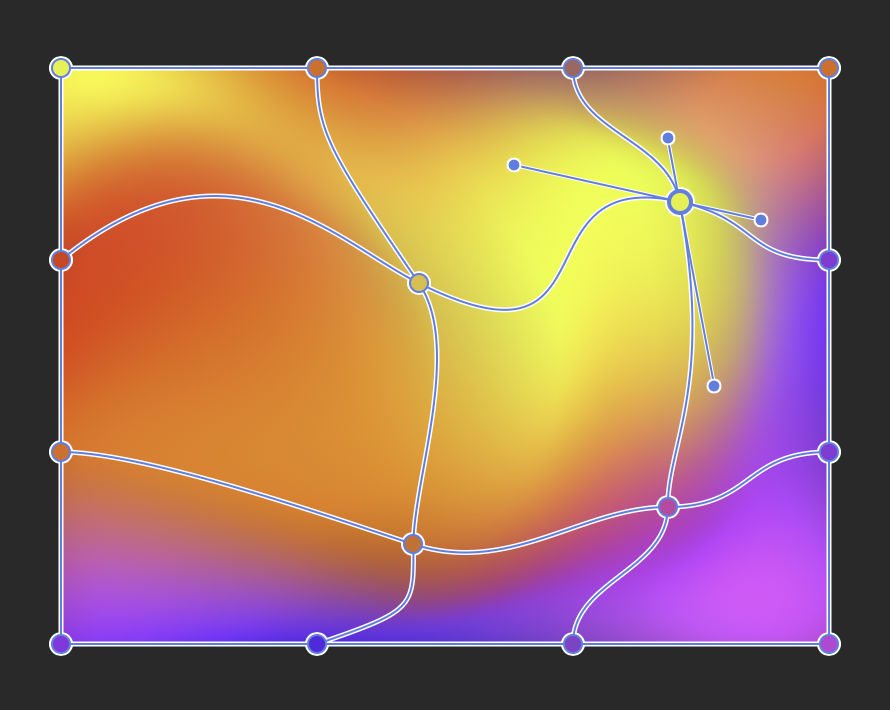
Mesh gradients have a complex set of data points. I expected authors will prefer to define them using a design tool rather than handwrite them.
The proposed API is designed by Tab Atkins-Bittner, improving on a previous design by Amelia Bellamy-Royds. The syntax definition is:
mesh-gradient( [ <color-interpolation-method> || <color> ]?,
               <mesh-point># [ ';' <mesh-point># ]*
             )
<mesh-point> = <color> [ <mesh-absolute-position> | <mesh-relative-position> ]?
<mesh-absolute-position> = <position> [ with <position> [ / <position> ]{0,3} ]?
<mesh-relative-position> = by <coordinate-pair> [ with <mesh-relative-control-point> [ / <mesh-relative-control-points> ]{0,3} ]?
<mesh-relative-control-point> = <coordinate-pair> [from origin]?
The syntax defines the grid in rows. Each colour stop is separated by a comma (,) and row is separated by a semicolon (;). The colour stops use the same positioning syntax as background-position. The bezier control points are specified after the slash (/). Like with other gradients, the author can specify the colour interpolation method.
The simplest example of a mesh gradient using this syntax is:
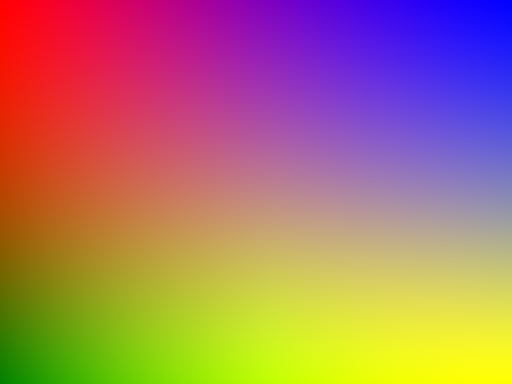
background-image: mesh-gradient(red, blue; green, yellow);
In this example, there is one patch defined with the colours at each corner. It should render like this:
A more complex example is:
background-image: mesh-gradient(
  in oklab,

  cyan 0cm 0cm,
  magenta by 5cm 0cm with 1cm 0cm / 4cm 0cm;

  yellow by 0cm 5cm with -1cm 0cm from origin,
  black by 5cm 5cm with 0cm -1cm / -1cm 0cm
);
freeform-gradient()A diffusion curve, or freeform gradient, is created by specifying colour stops made from points, lines or shapes at any arbitrary position on the gradient box. Each colour stop can have a spread value, which represents how much weight or dominance the colour has over other colours when they are interpolated.
This proposal only includes support for points, but lines and shapes discussed in the future improvements section.
To render the diffusion curve, the user agent can do a Delauney triangulation to produce a mesh using the colour points and then interpolate the intermediate colours.
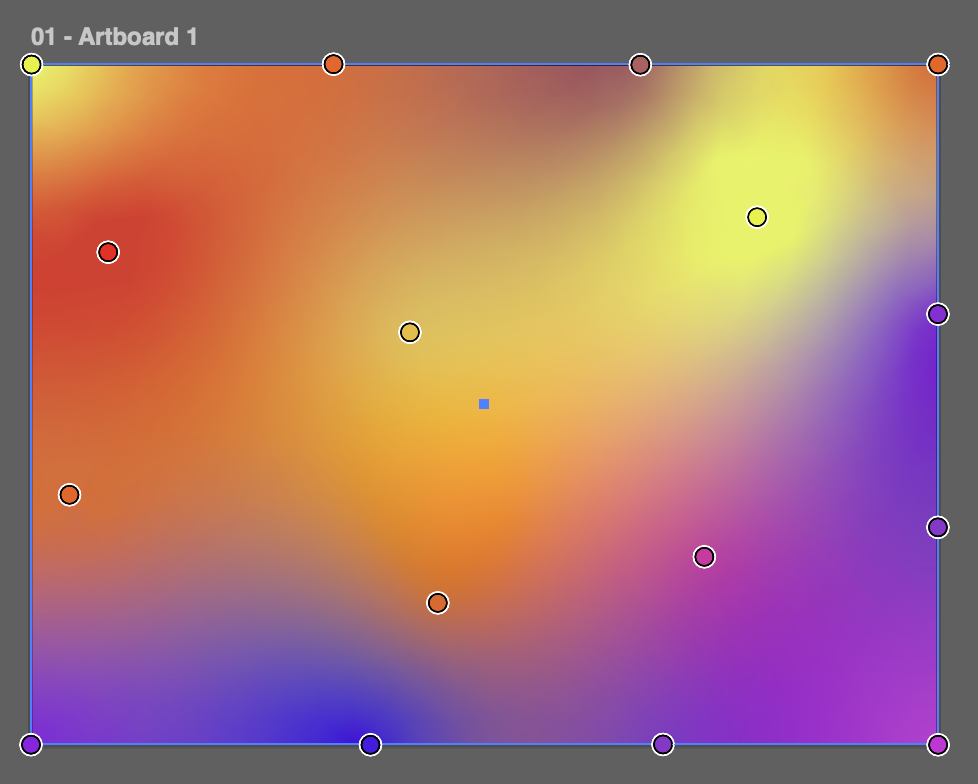
The following image is an example of a freeform gradient being edited in Adobe Illustrator. It demonstrates 16 colour stops placed in roughly the same locations as the mesh gradient example above, but the result is very different. A couple of the colour stops have had their spread value increased by a small amount.
Note
The term freeform gradient was coined by Adobe and isn't a commonly used term outside of the Adobe ecosystem. No other vector graphics applications can create diffusion curve-like gradients with points.
This proposal seeks to replicate the capability of Adobe's implementation of freeform gradients. However, we should consider alternative names such as diffusion-gradient().
Freeform gradients are simple for authors to define, because they can place colour stops arbitrarily. Therefore, the proposed CSS syntax should also be simple for authors to write by hand without tooling.
The proposed API was designed with help from Sebastian Zartner, Lea Verou, Bramus and Tab Atkins-Bittner. The syntax definition is:
freeform-gradient( <color-interpolation-method>? , <freeform-point># )
<freeform-point> = <color> <number>? <position>
The syntax lists each colour stop with a number representing the spread value and position. The author can optionally list multiple positions to form a line.
The simplest example of a freeform gradient using this syntax is:
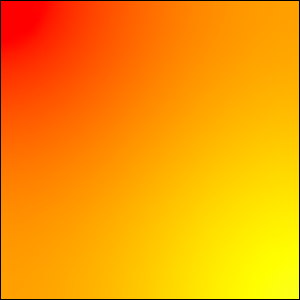
background-image: freeform-gradient(red top left, yellow bottom right);
In this example, the colour points are at the top left corner and top right corner. It should render like this:
Mesh gradients are a well known type of gradient in computer graphics. They were first introduced in Adobe Illustrator 8.0 in 1998 and were later supported in other graphics applications; whereas freeform gradients were introduced only in Adobe Illustrator 23.0 in 2018. Canva Affinity added diffusion gradients in September 2026 and it supports lines and shapes, but not points.
Unlike diffusion curves, mesh gradients are supported in many graphics libraries including Skia, SwiftUI and Android UI (but they do not allow developers to select different colour space interpolations).
The freeform-gradient() proposal has a much simpler API than mesh-gradient(), so it should be much easier for authors to write freeform-gradient() in CSS by hand without using tooling. Additionally, diffusion curves are easier for designers to create in vector image applications than mesh gradients.
They both produce different types of 2D gradients. Generally, mesh gradients can't reproduce a complex diffusion curve, and visa versa.
The PDF specification ISO 32000-2 section 8.7.4.5.8 defines tensor-product patch mesh shadings which can be used to represent both mesh gradients and freeform gradients with bicubic colour interpolation.
The CSS colour interpolation method can also be supported in PDFs. This is done by providing a function for custom colour interpolation.
The issue includes further discussion on PDF serialisation.
However, some PDF viewers have low quality support for coons patch and tensor-product patch shadings, which can cause strange rendering artifacts including patches overlapping incorrectly or gaps where the patches join. We hope that, if 2D gradients become more popular, PDF implementations will improve the quality of their patch shading renders.
The current proposal for the freeform-gradient() image function only supports points. The original scientific paper that introduced diffusion curves (see References & acknowledgements) defined the colour stops as lines rather than points. One of the main use cases for diffusion curves in the paper was for designers and artists to be able to trace over photographs to replicate smooth objects like fruit or create abstract art drawings.
We could support lines by extending the freeform-gradient() function to support a list of multiple <position> types and draw a smoothed line using that. This would match how lines are defined in Adobe Illustrator.
background-image: freeform-gradient(
  red top left,
  yellow bottom left bottom right top right
);
However, I don't think that would provide enough fidelity for artists to control the exact shape of the lines. Canva Affinity allows designers to create more precise lines using bezier curves. I think the CSSWG needs to explore a syntax for defining lines.
We could also support having different colours projected out of the left and right sides of lines.
Finally, we could replicate Canva Affinity's diffusion gradients by supporting shapes.
The SVG Working Group had proposed a MeshGradient element and related elements for SVG 2, but these were removed from the draft specification in 2018.
Recent suggestions by contributors to the SVGWG and CSSWG have shown that it is possible to make a CSS-style functional notation to create mesh gradients in CSS.
I think we are willing to accept that the CSS function will still appear complex to authors when defining very detailed gradients, and we can still provide the freeform gradient function if authors want a simpler hand-written option. We make the simple things easy and the complex things possible.
Mesh gradient implementations typically provide either bilinear or bicubic colour interpolation. We could let authors choose which one they would like.
I don't think authors will ever want to use bilinear, so this proposal only uses bicubic. If we do find a reason why authors would want bilinear, we can make it an optional argument in the API and make bicubic the default.
Notably, SwiftUI's mesh gradient API makes bicubic the default.
As with the existing types of image gradients, authors should be careful not to cause text colour contrast issues with 2D gradients.
So many members and contributors to the CSSWG have been involved in the research and feedback for this proposal, whom I am incredibly grateful to. This has truly been a collaborative piece, with very little of the work my own. Many thanks for valuable feedback and advice from:
MeshGradient proposal and for general PDF expertise(If anyone is missing from this list, please let me know and I will add you.)
Thanks to the following proposals, projects, libraries, frameworks, and languages for their work on similar problems that influenced this proposal.